Admin Expenses
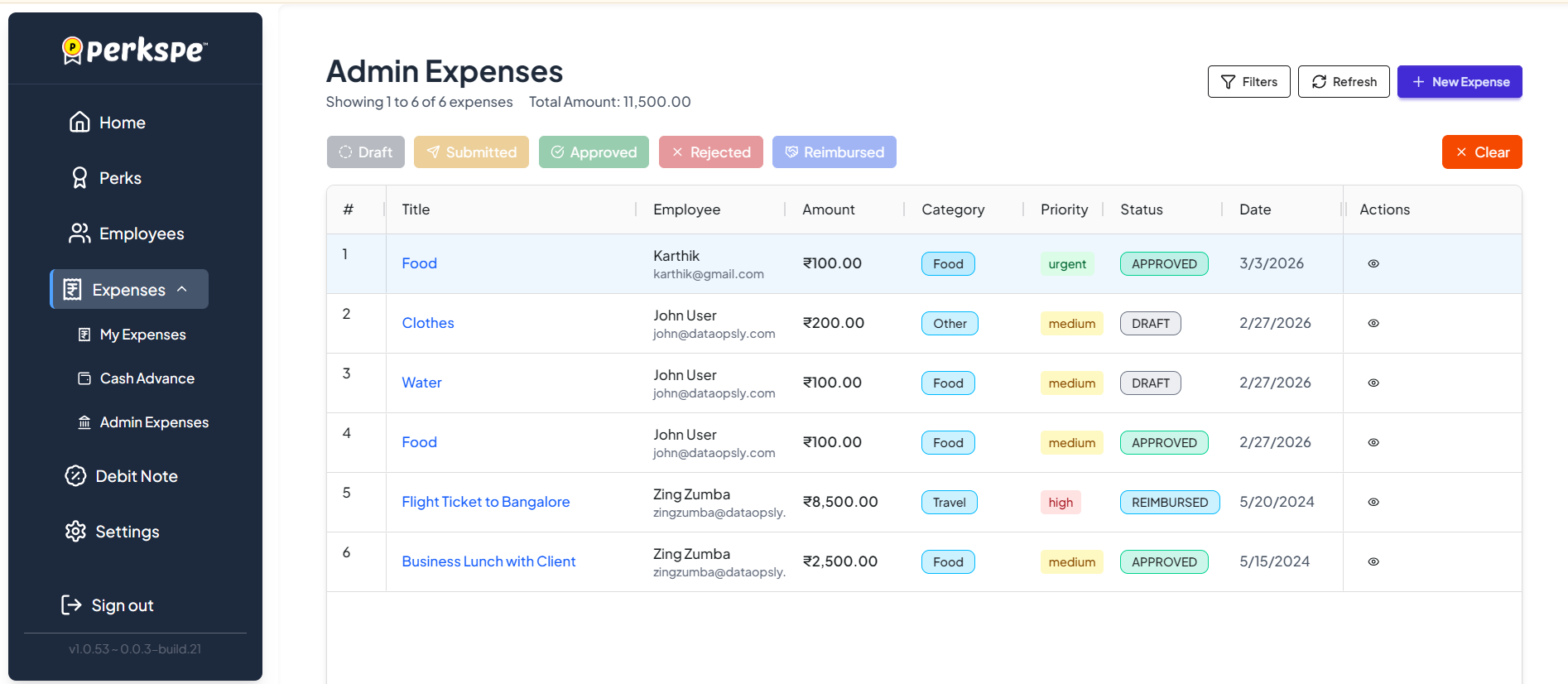
The Admin Expenses page gives administrators a centralized view of all employee expenses across the organization. Admins can review, filter, and manage expenses submitted by all employees from a single dashboard.
From the sidebar, expand Expenses and click Admin Expenses.
Organization View
See all submitted expenses across the entire company.
Status Filters
Filter by Draft, Submitted, Approved, Rejected, or Reimbursed.
Detailed Review
View attached receipts and approve or reject expenses.
Reviewing and Approving
Viewing Details Click the view icon (👁) in the Actions column to see the full details of any expense, including attachments and comments.
Approval Workflow Admins can approve or reject submitted expenses directly from the Admin Expenses page. For details on the approval process, see Approval.
Adding Comments Admins can communicate directly with employees by adding comments on the expense entry. See Comments for more details.