Perks Coin Transactions Report
The Perks Coin Transactions Report under Reports provides administrators with a centralized view of all Perks Coin transactions processed through PerksPe. It enables HR and finance teams to monitor coin allocations and redemptions, review transaction types and methods, apply filters, and export transaction records for reporting and reconciliation.
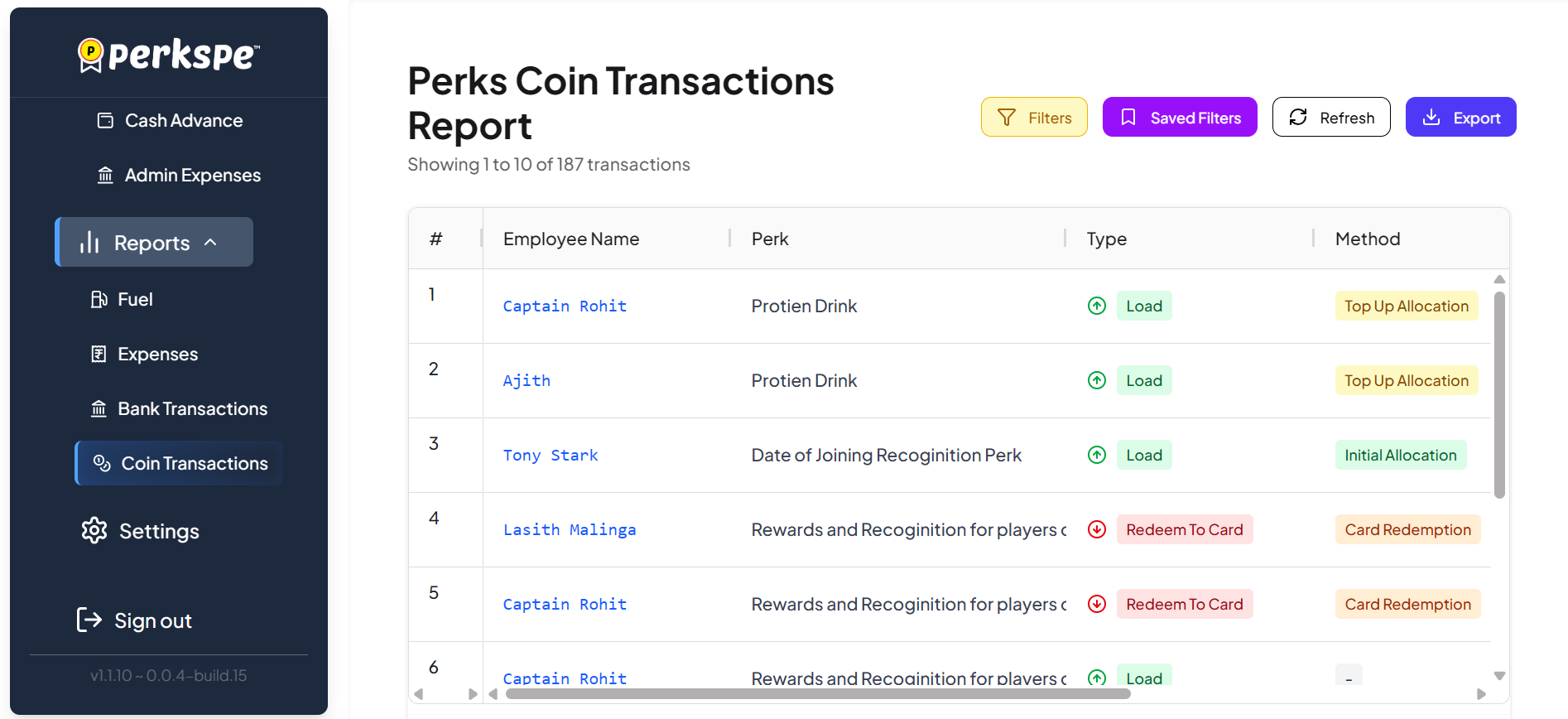
The Perks Coin Transactions Report displays Perks Coin transactions associated with employees and their respective perks. Administrators can quickly review who received or redeemed coins, identify the type of transaction, and understand how the transaction was processed.
- # : Sequential number assigned to each transaction.
- Employee Name: Displays the name of the employee associated with the Perks Coin transaction.
- Perk: Displays the perk associated with the transaction, such as Protein Drink, Date of Joining Recognition Perk, or Rewards and Recognition.
- Type: Indicates the nature of the Perks Coin transaction, such as Load or Redeem To Card.
- Method: Indicates how the transaction was processed, such as Top Up Allocation, Initial Allocation, or Card Redemption.
Use the controls located at the top-right of the report to filter, refresh, save frequently used filters, and export transaction data.
- Filters: Apply specific criteria to narrow down the Perks Coin transactions displayed in the report.
- Saved Filters: Save frequently used filter combinations for quick access in the future.
- Refresh: Refresh the report to retrieve the latest Perks Coin transaction data.
- Export: Export the transaction records for further analysis, reporting, or reconciliation.
The transaction table supports both vertical and horizontal scrolling, allowing administrators to navigate through the available transaction records and view additional transaction details when required.
Use Saved Filters for frequently reviewed Perks Coin transactions, such as employee coin allocations, recognition rewards, or card redemptions. This helps HR and finance teams quickly retrieve commonly used reports without recreating filter criteria each time.